

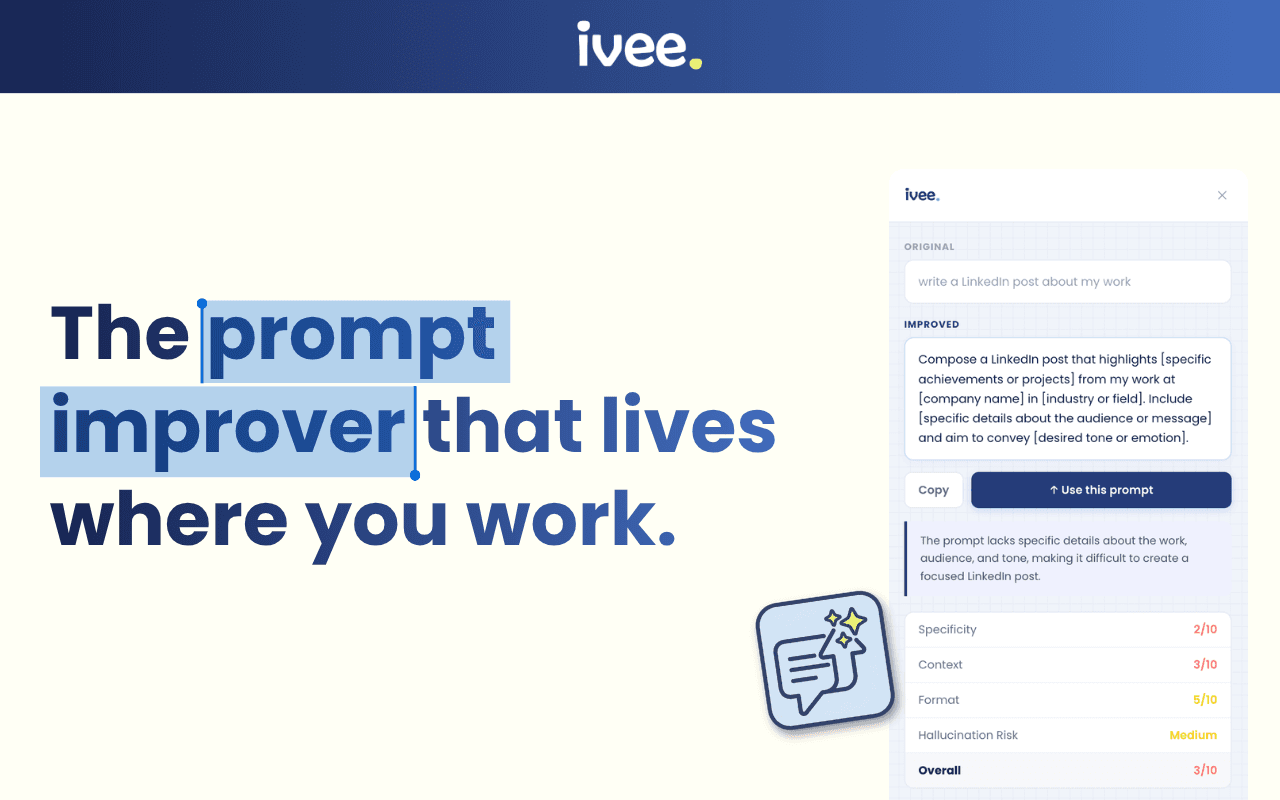
You type something into Claude or ChatGPT. The response comes back vague, off-topic, or just a bit flat. So you try again, slightly rephrased. Still not quite right. The frustrating truth? It is almost never the AI's fault. The quality of what you get back almost always comes down to the quality of what you put in — your prompt. ivee built a free Chrome extension that solves this problem directly: highlight your prompt, improve it instantly, and get back to work. Here is everything you need to know about the ivee Prompt Improver.
What is a prompt, and why does it matter?
A prompt is simply the text you type into an AI tool — the instruction, question, or request that tells the AI what to do. When you write “summarise this email” or “give me five ideas for a presentation,” those are prompts.
AI tools respond to exactly what you write — not to what you meant to write. A vague prompt gets a vague answer. A clear, well-structured prompt with the right context and a specific goal gets something genuinely useful.
Think of it like giving someone directions. “Head roughly north” could land you anywhere. “Turn left at the traffic lights, go past the pub, stop at the blue gate” gets you exactly where you need to be. Prompting works the same way — and most people pick it up quickly once they know what to look for. The trick is getting past that early gap between a rough first attempt and a polished one.
Context matters: The AI does better when it knows who you are, what you need, and why.
Specificity helps: Vague requests produce vague results. The more precise you are, the more useful the output.
Format counts: Telling the AI what kind of response you want — a list, a paragraph, a step-by-step guide — shapes everything.
If you want to go deeper on this, our up-to-date prompting guide for 2026 covers the full picture. Anthropic also publishes detailed guidance on prompt engineering that is worth a read once you have the basics down.
What is the ivee Prompt Improver?
The ivee Prompt Improver is a free Chrome extension that helps you write better AI prompts without leaving the tool you are already using.
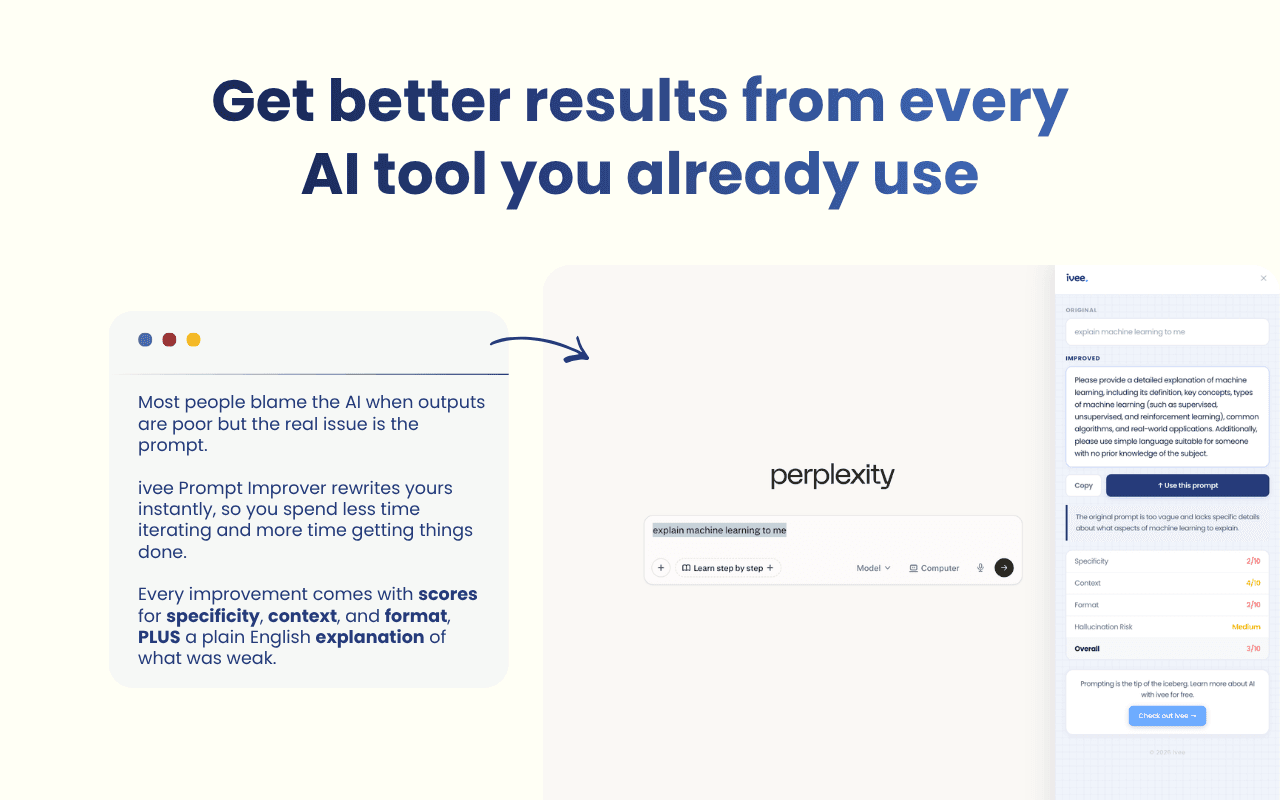
The mechanic is simple: write your prompt on ChatGPT, Claude, Gemini, or Perplexity, highlight the text, and the extension gives you an improved version right there on the page. No copying and pasting into a separate tab. No switching apps. No interrupting your flow. Just a sharper, more effective prompt in seconds.
Think of it as a spell-checker for your prompts — but instead of fixing typos, it makes sure what you have written is clear, specific, and likely to get you a great answer.
Works where you work: Compatible with ChatGPT, Claude, Gemini, and Perplexity.
No copy-paste required: Improve prompts directly in the tool you are using.
Completely free: Install it from the Chrome Web Store at no cost.
Instant results: Highlight and improve in one step — no forms, no sign-in.
You can install the ivee Prompt Improver free from the Chrome Web Store. If you are already using Claude Cowork, the extension slots neatly into your existing workflow.
How to install it in under two minutes
Getting set up takes less than two minutes. Here is the full process:
Open Google Chrome on your computer.
Visit the ivee Prompt Improver page in the Chrome Web Store.
Click Add to Chrome.
When the confirmation pop-up appears, click Add extension.
The ivee icon will appear in your Chrome toolbar — you are ready to go.
Next time you are in Claude, ChatGPT, Gemini, or Perplexity, write a prompt, highlight it, and the extension will offer you an improved version on the spot.
Using Edge or Firefox?
The ivee Prompt Improver is built for Google Chrome. If you use Microsoft Edge, you can often install Chrome extensions directly — go to Edge Settings → Extensions → Allow extensions from other stores, then install from the Chrome Web Store link above. Firefox is not currently supported.
How to get the most out of it
The ivee Prompt Improver does a lot of the heavy lifting, but a few habits will help you get even better results from it.
Start with your real intent. Write what you actually need, even if it is rough. The extension has more to work with when you give it a genuine attempt rather than a placeholder.
Add context before improving. Tell the AI who you are, what format you need, and what good looks like for your situation — then highlight and improve. More context in means a sharper improved prompt out.
Use it to learn. Pay attention to the changes the extension suggests. Over time, you will start to notice patterns — more specificity, clearer goals, better structure — and begin writing stronger prompts on your own.
Try it across different tools. It works across ChatGPT, Claude, Gemini, and Perplexity, so use it wherever you are working and see which AI gives you the best results for your task.
If you are interested in going deeper with Claude specifically, we have written about five ways to use Claude that most people have never tried — well worth reading once you have the prompting basics in place. And if you are still figuring out which AI tool fits your workflow, our map of every AI tool gives you the full landscape.
FAQs: ivee Prompt Improver
Is the ivee Prompt Improver free?
Yes, completely free. You can install it from the Chrome Web Store at no cost and start using it straight away with no sign-in required.
Which AI tools does it work with?
The ivee Prompt Improver works with ChatGPT, Claude, Gemini, and Perplexity. Just highlight your prompt in any of these tools and the extension will improve it in place — no switching tabs.
Do I need to know about AI to use it?
Not at all. It is designed for everyday users who want better results from AI tools without studying prompt engineering. If you can type a sentence and highlight text, you can use it.
Does it work in Microsoft Edge or Firefox?
It is built for Chrome. Edge users can often install Chrome extensions by enabling “Allow extensions from other stores” in Edge settings. Firefox is not currently supported.
Ready to go further?
Prompting is a skill — and like any skill, it gets better with practice. The ivee Prompt Improver gives you a shortcut through that early, frustrating stage where you know roughly what you want but cannot quite get the AI to deliver it.
Once you start getting consistently better results from your AI tools, you will likely find yourself curious about what else is possible. The ivee Core AI Programme takes you through the full picture: how to use AI for real work tasks, how to think about AI tools strategically, and how to build habits that actually stick — no jargon, no coding required.
Book onto one of our AI programmes at ivee and start learning today.


